Mailmaestro
Designing the first prototype of an AI email assistant, now used by 300,000+ teams including Nike, Disney, and Microsoft.
01
Overview
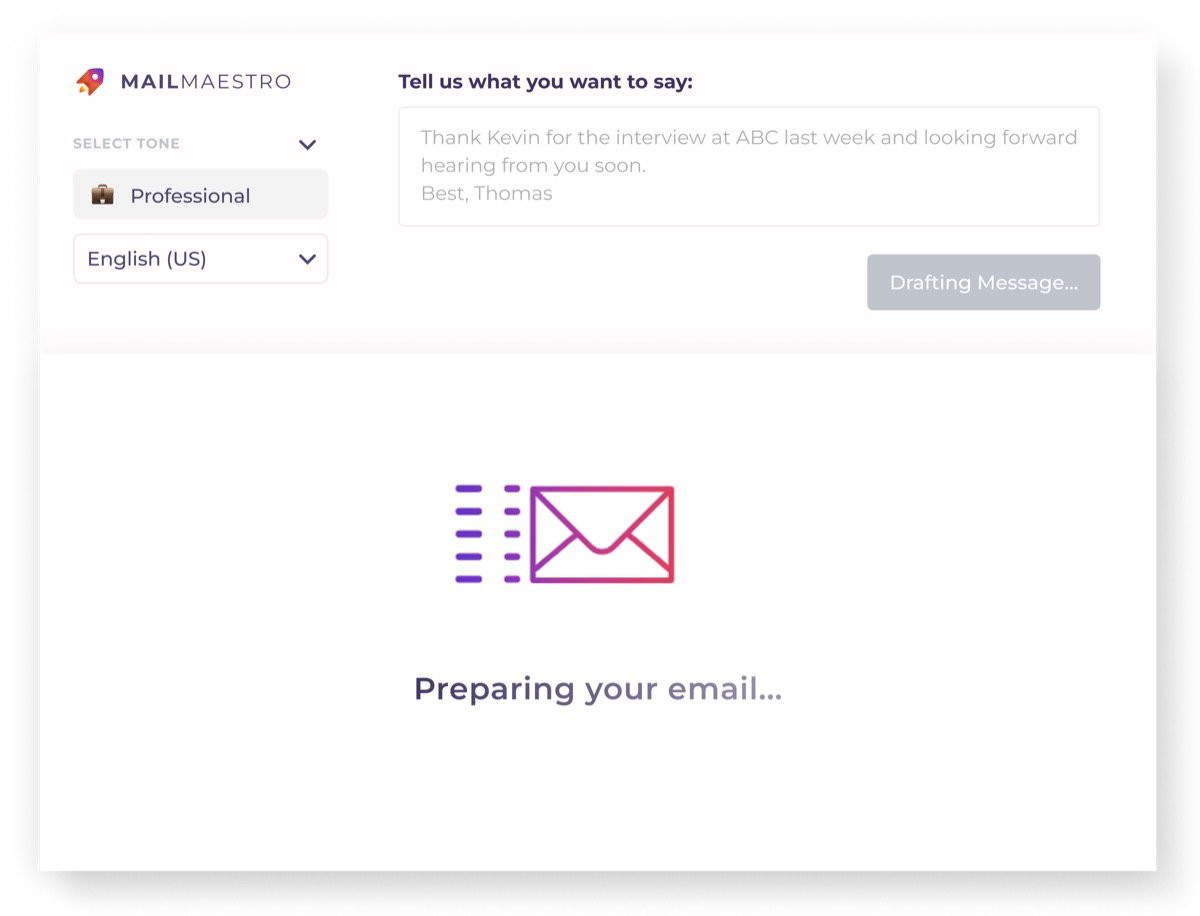
Mailmaestro is an AI-powered email assistant that lives inside Outlook and Gmail. It drafts emails, summarizes threads, and helps professionals manage their inbox faster. I joined early to design the first prototype: the foundation that the product was built on and validated with.
Since then, the product has grown significantly; it's now used by over 300,000 teams, rated 4.8 stars on the Microsoft AppSource, and trusted by companies like Nike, Disney, Danone, and Microsoft. The product evolved far beyond my initial work, but the first prototype helped establish the core interaction patterns and prove the concept.
02
The Idea
The average professional receives 121 emails a day. Writing responses, drafting new emails, following up: it eats hours. The idea was simple: what if AI could handle the writing, and you just guided the direction?
The challenge for the prototype was making this feel effortless. AI-generated emails can feel robotic or generic. The interface needed to give users enough control to shape the output (tone, length, key points) without making the process feel slower than just writing the email yourself.
"If using the AI takes longer than writing the email, nobody will use it."
03
The First Prototype
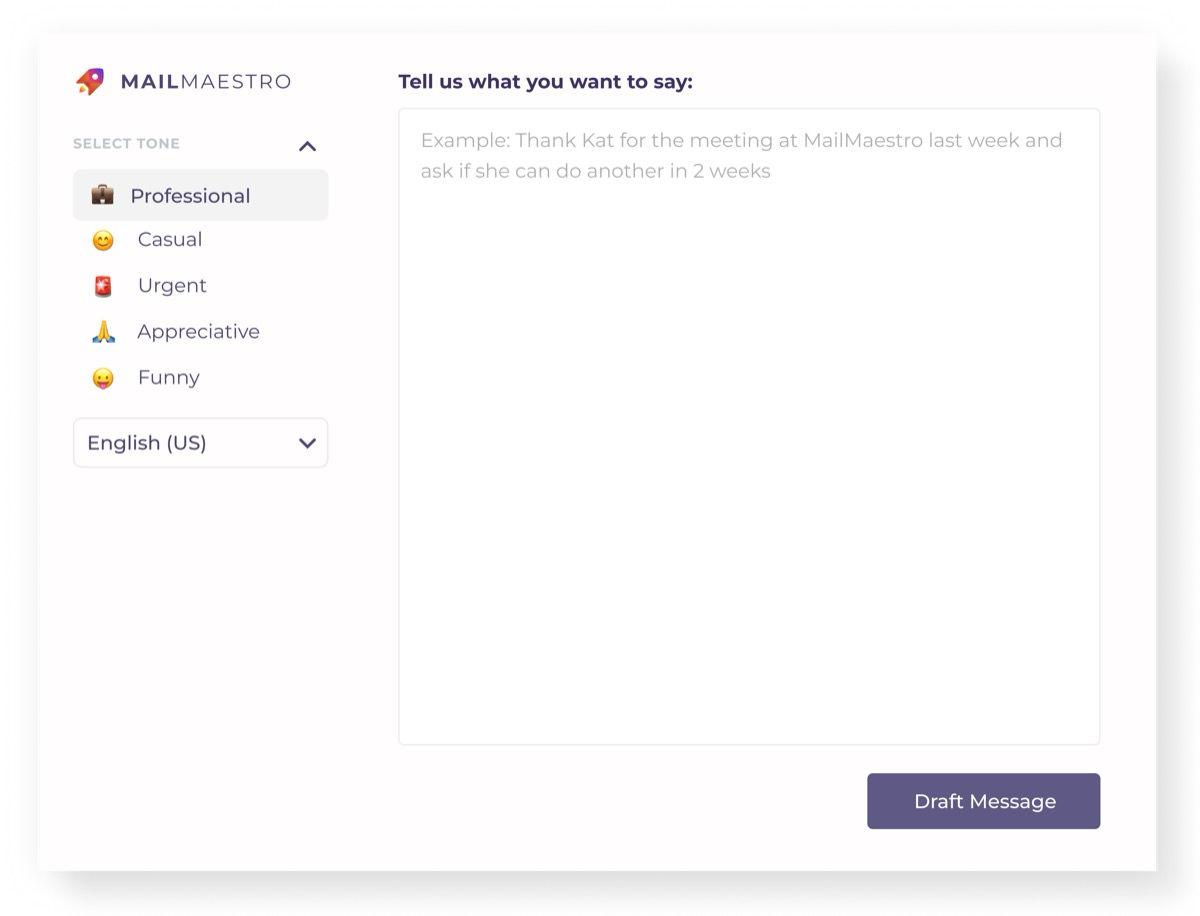
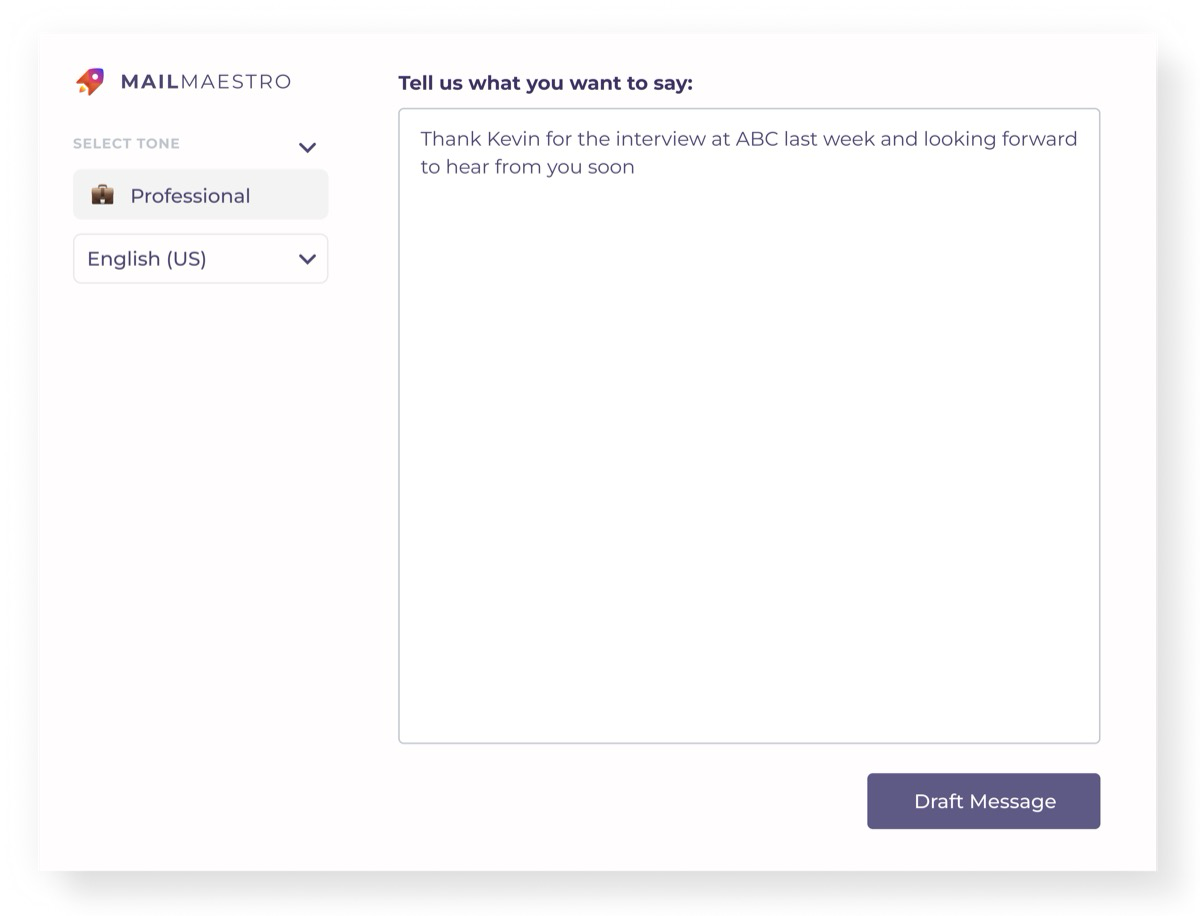
The prototype focused on the core flow: give the AI a brief instruction, get back a draft, refine it, and send. It had to work as an overlay within the email client, meaning limited screen space and zero tolerance for complexity.
Refine & Send
After generating a draft, users could revisit their prompt to adjust the tone or switch the language; the AI would regenerate instantly. The goal was to make iteration feel free, not costly.
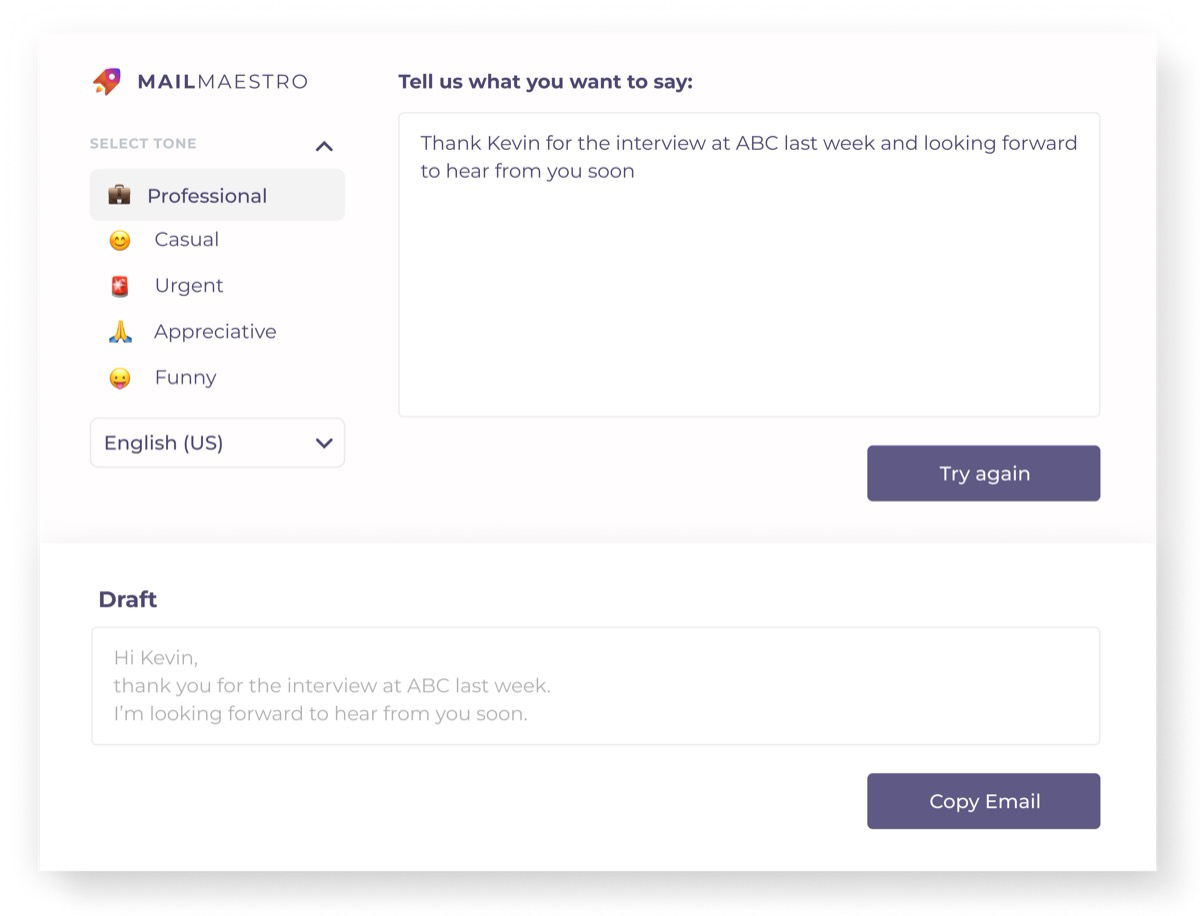
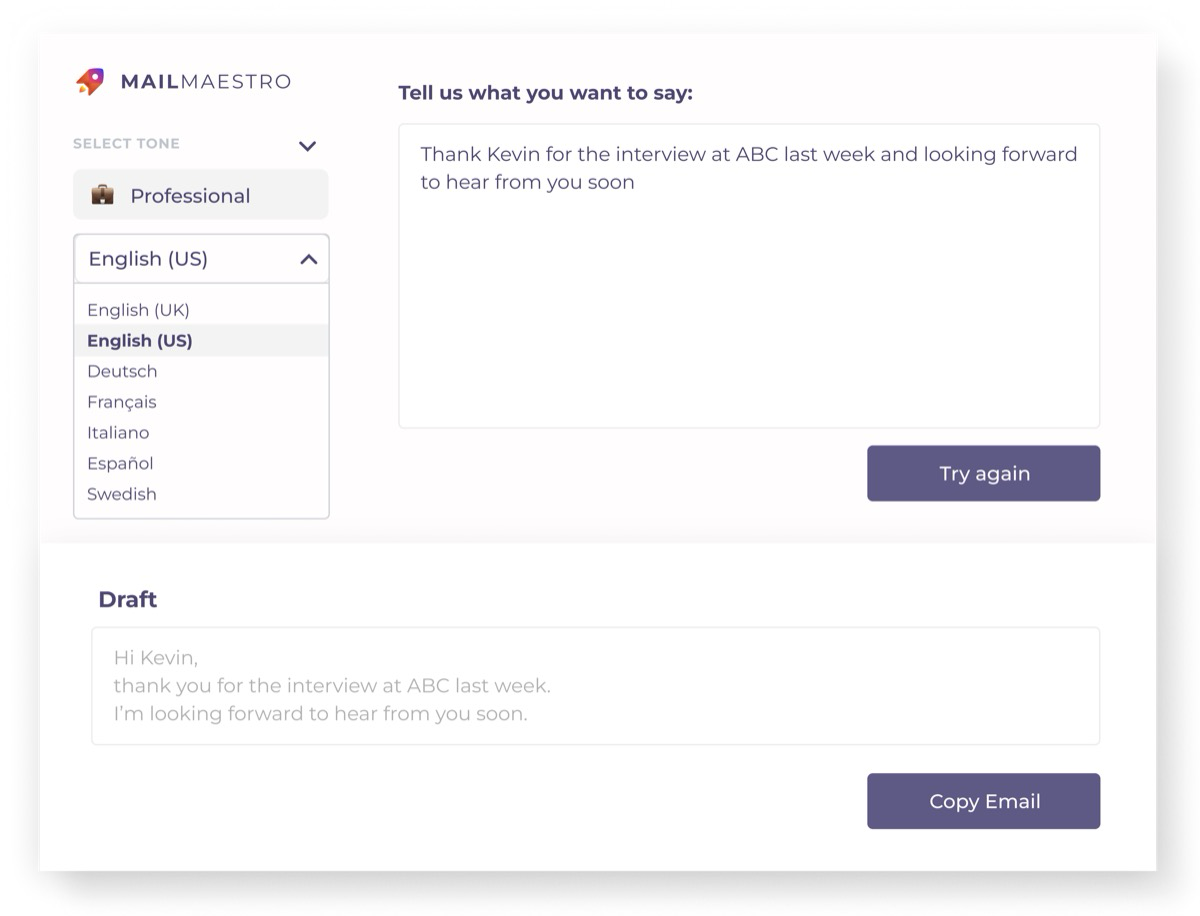
Adjust tone or switch language: the draft regenerates instantly.
04
Early Design Decisions
Designing an AI tool in the early days meant making a lot of bets on how people would interact with generated content. These were some of the key calls that shaped the prototype.
Sidebar, not separate app
The AI had to live inside the email client as a sidebar, not a separate tab or window. Users shouldn't have to switch contexts. The tool should feel like a natural extension of their inbox.
Instructions, not templates
Instead of pre-built templates, users typed what they wanted in plain language. "Decline politely, mention I'm busy next week" is faster and more flexible than browsing a template library.
Control without complexity
Tone and length sliders gave users just enough control to shape the output without overwhelming them. The goal was three taps: instruct, adjust, send.
Speed over perfection
The prototype prioritized generating a "good enough" draft fast rather than a perfect one slowly. Users could always edit, but they couldn't get back the 5 minutes they'd spend waiting.
05
Where It Went
I was involved in the early stage: the first prototype that helped validate the concept and secure the direction. Since then, the Maestro Labs team has grown the product far beyond what I worked on. Today Mailmaestro supports 20+ languages, offers meeting transcription via Teams, and is trusted by enterprise clients across the globe.
It's rewarding to see something you helped start reach that scale. The first prototype was rough, but it proved the core idea worked: people will use AI to write emails if you make it faster than doing it themselves.
300K+
Teams using it today
4.8★
Microsoft AppSource
20+
Languages supported